
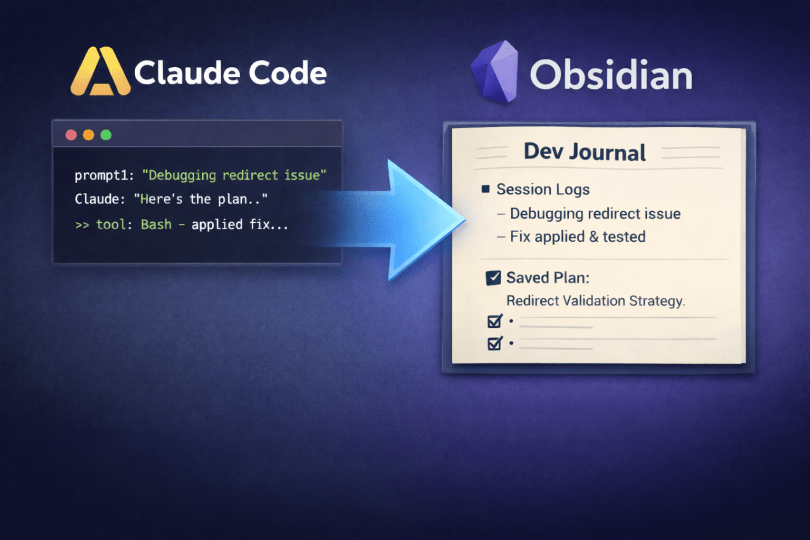
Last week I was trying to remember how I’d solved a redirect validation bug. I knew I’d worked on it with Claude Code, maybe two weeks ago. I remembered discussing the approach, making a plan, even committing something. But I couldn’t find any trace of what I’d actually done. The session was gone.
This kept happening. I’d close a terminal and lose everything: the prompts I’d sent, the reasoning behind decisions, the plans Claude had written. CLAUDE.md gives Claude project context, but it doesn’t capture what happened in a session.
So I wrote a PowerShell script that hooks into Claude Code’s lifecycle and journals everything to Obsidian automatically. I’ve been running it for about a week now, across ~50 journal entries. Plan archival turned out to be the most valuable piece.
What hooks are
Claude Code has a hook system. Hooks are shell commands that run at four points in a session:
- SessionStart: fires when you launch Claude Code
- UserPromptSubmit: fires every time you send a message
- PostToolUse: fires after Claude calls any tool (Read, Edit, Bash, etc.)
- Stop: fires when the session ends
Each receives JSON on stdin: tool name, input, output, prompt text. You can parse this and do whatever you want with it.
Register them in ~/.claude/settings.json:
{ "hooks": { "UserPromptSubmit": [{ "matcher": "", "hooks": [{ "type": "command", "command": "powershell -ExecutionPolicy Bypass -File ~/.claude/hooks/dev-journal.ps1 -Event UserPromptSubmit" }] }] }}
Empty matcher means fire on everything. Repeat the block for PostToolUse and Stop. One rule: the script must exit 0. A non-zero exit blocks the entire session.
Windows note: Claude Code’s stdin pipe doesn’t reliably close on Windows, so the script uses fallbacks instead of parsing hook JSON directly. The working directory comes from the current location, prompts from $HookData.prompt, and tool data from $HookData.tool_name/$HookData.tool_input.
Automating the hard part
Why dev journals die
The idea of keeping a dev journal isn’t new. Stack Overflow’s blog argued developers should journal to maintain focus and build a record for performance reviews. Gergely Orosz’s work log template recommends tracking code changes, discussions, and impact. Partly for career advancement, partly to answer “what did I actually do this week?”
I’ve tried keeping a dev journal three separate times. Each attempt died within two weeks. The pattern was always the same: I’d finish a coding session, tell myself I’d write it up later, and later never came. By the time I remembered, I’d forgotten the details worth capturing.
The hook changes this. Prompts, files changed, tools used, commits. All captured while I work. The tedious stuff is automated. The parts that need context (why I chose this approach, what I’d do differently) I add at end of day.
How it works
When you send your first prompt, UserPromptSubmit checks if a session exists. If not, it initializes one: reads the working directory, extracts the repo and branch, pulls a ticket number from the branch name if present, and creates the session file:
function Handle-UserPromptSubmit { param($HookData) $session = Get-CurrentSession # Initialize session on first prompt if not exists if (-not $session) { Handle-SessionStart $HookData $session = Get-CurrentSession if (-not $session) { return } } # Capture user's prompt (first 5 only) $prompt = $HookData.prompt if ($prompt -and $session.Prompts.Count -lt 5) { $cleanPrompt = $prompt -replace "`r`n|`n", " " -replace "\s+", " " if ($cleanPrompt.Length -gt 200) { $cleanPrompt = $cleanPrompt.Substring(0, 197) + "..." } $session.Prompts += $cleanPrompt Save-CurrentSession $session }}
Session state lives in .current-session.json. Each hook event reads it, adds data, writes it back. By the time Stop fires, the file contains everything the session produced.
PostToolUse tracks files edited, git commits (parsed from Bash output), and plan file paths. UserPromptSubmit captures your first 5 prompts. Stop puts together the summary: it gets the task type from the branch name, lists tools used, and pulls file changes from git status --porcelain.
What you get
Multiple sessions stack in one daily file:
Dev Journal - 2026-01-28 (Tuesday) Overview| Sessions | Repos | Tickets ||----------|-------|---------|| 2 | my-app, api-server | PROJ-123, PROJ-456 |--- Log: Session 1 - PROJ-123 Time: 09:15 - 11:30 | Repo: my-app | Branch: feature/add-user-search PromptInvestigate the SearchComponent. It's getting slow with large datasets.Profile it and suggest optimizations. IssueWorking on PROJ-123. Search is taking 3+ seconds on datasets over 10k rows. What I Did Edited 4 file(s): SearchComponent, SearchService + more Made 1 commit(s) How I Did ItUsed: Read, Grep, Edit, Task, Bash Challenges(None noted) Commits perf: Add virtual scrolling to search results (a1b2c3d)
I didn’t type any of this. The hook captured the prompt, tracked what changed, and logged the commit.
The end-of-day review
The automated journal captures the basics. At the end of each day, I spend five minutes in Obsidian cleaning it up.
I open the day’s journal file and scan through each session. The prompts and file lists are usually fine as-is. What I add:
The “Issue” section. The hook populates this with the ticket number, but I add a sentence of context. “Search is slow” becomes “Search is taking 3+ seconds because we’re rendering all 10k results to the DOM.”
The “Challenges” section. If I hit something unexpected (a weird bug, a library limitation, a decision I second-guessed) I note it here. These are the details I’ll forget by next week.
Quick corrections. Sometimes the hook captures a prompt that doesn’t make sense out of context, or lists a file I only glanced at. I trim the noise.
This takes about five minutes. The hook does the tedious part. I add context. Without the automation, I’d be reconstructing the whole thing from memory. With it, I’m just editing.
The pattern that works for me: finish work for the day, close Claude Code (which triggers the Stop hook and finalizes the journal), then open Obsidian and do a quick pass before shutting down.
Plan archival
I use this constantly.
Claude Code has a plan mode. You ask it to investigate a problem, it reads code, researches options, and writes a structured plan for your approval. That plan lives in a temp file under ~/.claude/plans/. Next session, it gets overwritten. Gone.
I used to screenshot plans or copy them into notes. Now a hook does it automatically.
PostToolUse watches for two things:
- A write to
~/.claude/plans/: stores the file path in session state ExitPlanModefires: the approval event. The hook reads the plan and saves it to Obsidian.
function Save-PlanToObsidian { param($Session) $planContent = Get-Content $Session.PlanFile -Raw # Extract title from first heading $planTitle = "Plan" if ($planContent -match '(?m)^#\s+(.+)$') { $planTitle = $matches[1].Trim() } # Build filename with date prefix $safeName = $planTitle -replace '[^\w\s-]', '' -replace '\s+', '-' $ticket = $Session.Ticket $fileName = if ($ticket) { "$Today-$ticket-$safeName.md" } else { "$Today-$safeName.md" } # Save to journal/plans/ subfolder (year/month structure) $plansDir = Join-Path $JournalDir "plans" # Build YAML frontmatter for Dataview queries $ticketYaml = if ($ticket) { $ticket } else { '"-"' } $branchYaml = if ($Session.Branch) { $Session.Branch } else { '""' } $frontmatter = @"---type: plandate: $Todayticket: $ticketYamlrepo: $($Session.RepoName)branch: $branchYamlstatus: activetags: - plan---"@ # Inject backlink after the first H1 heading $backlink = "> **Ticket**: $ticket | **Journal**: [[$Today]] | **Repo**: $($Session.RepoName)" $planContent = $planContent -replace '(?m)(^#\s+.+\r?\n)', "`$1`n$backlink`n" # Prepend frontmatter and save $planContent = $frontmatter + $planContent Set-Content (Join-Path $plansDir $fileName) $planContent}
The saved plan gets YAML frontmatter (for Dataview queries) and a metadata header:
---type: plandate: 2026-01-28ticket: PROJ-123repo: my-appbranch: feature/add-user-searchstatus: activetags: plan--- Optimize Search Component Performance Ticket: PROJ-123 | Journal: [2026-01-28] | Repo: my-app GoalReduce search latency from 3+ seconds to under 500ms for datasets up to 50k rows...
And the journal gets a wikilink back:
Plan [plans/PROJ-123-Optimize-Search-Performance|Optimize Search Component Performance]
Bidirectional links. From the journal I click into the plan. From the plan I click the date. Everything connects.
Plans capture the reasoning, the alternatives considered, the decisions made. Claude Code doesn’t save them by default. This hook does.
How to build your own
Start small:
Step 1: UserPromptSubmit + Stop. Session times, repos, and branches. Initialize the session lazily on first prompt rather than at launch. This avoids stdin blocking issues on Windows. Useful for timesheets and standups on its own.
Step 2: Add PostToolUse. File edits and git commits. Now the journal knows what changed, not just when.
Step 3: Plan archival. Watch for ExitPlanMode events. Plans are the most useful thing to keep.
I wrote mine in PowerShell (Windows), but the pattern works in bash or Python. Same JSON on stdin, same lifecycle events, same markdown output.
Practical notes:
- Always exit 0. A non-zero exit blocks Claude Code entirely. I learned this the hard way.
- Keep it fast. Hooks run synchronously. Mine finishes in under 100ms.
- Cap your captures. I limit prompts to 5 and files to 20. Without caps, verbose sessions become unreadable.
- Use relative paths. Paths relative to repo root so entries work on any machine.
Message me if you want the full script. I’ll clean it up and share.
Six months from now, when I can’t remember how I fixed that redirect validation bug, I’ll search for it and find not just the code, but the reasoning that got there. That’s the point. Not a perfect system, just a searchable record of what I actually did.
 Daniel Donbavand